Document sharing has moved almost entirely online. Teams now collaborate across cloud platforms instead of passing around files or managing version chaos in email threads. While this shift makes work faster and more flexible, it also raises a key question: how do you share documents in a way that’s both efficient and secure?
The answer lies in choosing the right tools and practices. Modern platforms combine real-time collaboration, permission controls, and integrations that keep work flowing without compromising sensitive data. In this guide, we’ll break down what effective document sharing looks like today, the features that matter most, and how tools like Kumospace support seamless, secure collaboration.
Key takeaways
- Kumospace provides a secure solution for document sharing, offering secure and convenient file sharing and end-to-end encryption.
- Google Docs offers an easy-to-use platform for creating & sharing documents with features such as real-time collaboration & customizable options.
- Email attachments/messaging app links and cloud storage services enable quick large file transfers, while managing user access ensures security in collaborative workspaces.
Efficient document sharing with Kumospace

Kumospace simplifies document sharing with built-in features that make collaboration both efficient and secure. Kumospace's collaboration tools, such as real-time editing and annotation, make it easy for teams to work together on documents. Ever wished for a platform that could seamlessly share documents securely and collaborate remotely, all in one place? Well, Kumospace has got you covered. You can include your documents in the custom tablet tab to link directly to your notes. Offering a user-friendly interface and robust security measures, it’s an ideal tool for businesses and individuals alike.
So, whether you’re sharing and collaborating on a document with a co-worker or a team, Kumospace enables seamless collaboration for teams working remotely.
Sharing settings and permissions
Recognizing the value of your documents and control over sharing is pivotal. With customizable sharing settings and permissions, you can decide who gets access to your documents. You can share documents with specific individuals by setting targeted permissions, ensuring only selected people can access your files. Additionally, you can manage permissions, including granting or restricting edit access, to further control how your documents are used. This level of control not only enhances security but also ensures efficient collaboration and a collaborative workspace.
In a world where data breaches are a real threat, having control over your documents’ sharing settings and permissions is paramount. With Kumospace, you can ensure secure document sharing. Edit permissions can be set to control who can modify shared content, providing an extra layer of security and collaboration management.
Access control and security
While the convenience of sharing documents online is undeniable, it does bring about the importance of secure communication. How can you ensure that your documents are only accessible to the right people? Managing access levels for shared folders and ensuring that all users have the necessary level of access to the documents within is very important. Implementing strict access controls, such as granular permissions and password protections, helps protect sensitive information from unauthorized access. Coupled with end-to-end encryption from Kumospace, this guarantees that your documents remain secure and only accessible to those with the correct permissions.
Security is paramount when sharing documents online. With Kumospace’s robust end-to-end encryption, you can share documents with confidence, knowing that they are secure from unauthorized access. Whether you’re sharing sensitive business documents or personal files, Kumospace ensures that your documents are protected and only accessible to the right people. As the file owner, you have the authority to update permissions or stop sharing documents at any time to maintain control over your shared files.
Sharing documents through Google Docs

A commendable tool for document sharing and collaboration is Google Docs. With its cloud-based storage and intuitive interface, it makes creating, editing, and sharing documents a breeze. Google Docs is part of Google Workspace, a comprehensive productivity suite that integrates seamlessly with Google Drive, Sheets, Slides, and Forms, making it ideal for secure file sharing and collaboration within organizations using Google's tools. But it’s not just about creating new documents; Google Docs also allows you to:
- Share existing documents with others
- Collaborate in real-time
- Leave comments and suggestions
- Track changes and revisions
- Share and collaborate on various file types, such as Word, Excel, and PDF files, allowing seamless collaboration and previewing without downloads
This makes it an excellent tool for multiple people, such as teams and collaborators.
The beauty of Google Docs lies in its simplicity. Creating a new document is as easy as clicking a button, and sharing it with others is just as straightforward. But the real magic happens when you dive deeper. With sharing options that allow you to control who can view, edit, or comment on your documents, Google Docs puts you in the driver’s seat.
Creating and sharing new documents
Creating and sharing new documents is a breeze with Google Docs. With a user-friendly interface and a range of powerful tools, you can:
- Create a document
- Share a document with others
- Collaborate in real-time
- Add comments and suggestions
- Format text and images
- Insert tables, charts, and diagrams
- Use templates for quick document creation
- Add files or attachments to your Google Docs for enhanced collaboration
Whether you’re drafting a proposal, creating a report, or writing an article, Google Docs makes it easy to bring your ideas to life and share them with the world.
Imagine having the power to create a new document, customize it to your liking, and share it with others in a matter of minutes. That’s exactly what Google Docs offers. With its intuitive design and user-friendly features, it makes the process of creating and sharing new documents a smooth and enjoyable experience.
Sharing existing documents

Sharing existing documents is just as straightforward with Google Docs. Whether it’s a report, a proposal, or a presentation, you can easily share it with others, control who can view or edit it, and even keep track of the changes made. You can also choose to share only certain files with only the people you select, ensuring privacy and targeted access. This makes Google Docs not only a powerful document creation tool but also a robust collaboration platform.
Have an existing document that you need to share and notify people about? Google Docs makes it easy. Simply follow these steps:
- Open the document
- Click the share button
- Enter the email addresses of the recipients
- Choose whether they can view, edit, or comment on the document
This gives you complete control over how your document is shared with a select viewer.
Real-time collaboration and updates
Collaboration is key in today’s interconnected world, and Google Docs understands that. With its real-time collaboration and updates feature, it allows multiple users to work on the same document simultaneously, ensuring that everyone is on the same page. Google Docs also makes it easy for teams to collaborate seamlessly across different time zones, supporting remote and distributed teams no matter where they are located. This not only enhances productivity but also fosters a sense of teamwork and unity within a Google Group.
Imagine working on a document and seeing changes being made by your colleagues in real-time. That’s the power of Google Docs. With its real-time collaboration and updates feature, it ensures that everyone is working on the most current version of the document, fostering efficient collaboration and streamlining your workflow.
Sharing files via email and messaging apps

But what about situations where a document needs to be shared quickly, without the requirement for collaborative editing or intricate sharing settings? That’s where email and messaging apps come in. With a simple attachment or link, you can share a document with anyone, anywhere, in a matter of seconds. These tools also allow you to share multiple files at once, making it easy to send several documents together.
Whether it’s an email attachment, a link in a chat message, or a file shared in a messaging app, these methods make document sharing quick and easy. Users can upload files from various devices for quick sharing, ensuring flexibility and accessibility no matter what device you are using. And while they may not offer the same level of control as dedicated platforms like Kumospace or Google Docs, they are perfect for quick, one-off sharing needs.
Email attachments and links
Email remains one of the most common methods of document sharing. Be it a report, a proposal, or a presentation, you can easily attach it to an email and send it off to your recipient. You can also attach files directly from your computer for easy sharing. And with most email platforms offering generous attachment size limits, you can share even large files without a hitch.
But what if you don’t want to attach the document to your email? No problem. Simply upload your document to a cloud storage service like Google Drive or Dropbox, create a shareable link, and include it in your email. For added security, you can set a link expiration date to control how long the document is accessible. Your recipient can then click the link to view or download the document, making it a convenient and efficient method of document sharing.
Messaging app file sharing
Messaging apps offer another quick and easy method for document sharing. Whether it’s WhatsApp, Facebook Messenger, or WeChat, you can share a document with a simple click. And with most messaging apps offering file sharing features, you can share a variety of document types, including:
- Text files
- Spreadsheets
- Presentations
- Images
Recipients can easily save shared files within the app for future reference, ensuring important documents are always accessible. Most messaging apps also include a search function, allowing users to quickly locate and preview documents they've received or sent.
Sharing a document through a messaging app is as easy as selecting the file and clicking send. And the best part? Your recipient gets the document instantly, making it perfect for time-sensitive situations. Whether you’re collaborating on a project, sharing a report with a client, or sending a presentation to your team, messaging apps make document sharing quick and easy.
Sharing large files and folders
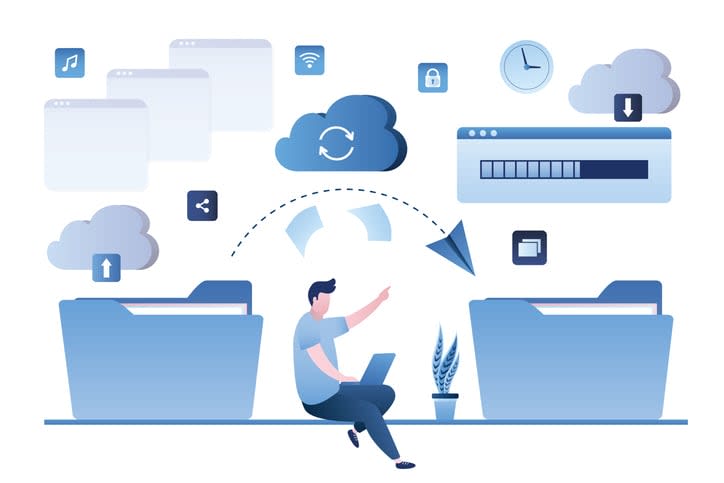
What happens when there’s a large file or an entire folder of documents to be shared? That’s where cloud storage services and specialized file transfer services come in. With these tools, you can share large files and folders with ease, without having to worry about email attachment size limits or slow upload speeds. When collaborating with external partners, these services also ensure secure file sharing through advanced encryption and permission controls.
Whether it’s a high-resolution video, a large dataset, a folder full of project files, or a slide file, these services make it easy to share large files and folders. Recipients can have file access to securely view or download shared documents directly from the cloud, ensuring seamless and protected collaboration. And with features like link sharing, password protection, and access control, you can ensure that your files are shared securely and only with the right people.
Cloud storage services
Cloud storage services like Google Drive, Dropbox, Amazon S3, and Box offer a robust solution for sharing large files and folders. With generous storage limits and powerful sharing features, they provide a flexible and reliable platform for large file sharing.
But cloud storage services are not just about storage; they also offer powerful sharing features. You can create shareable links for your files or folders, control who can view or edit them, update permissions for shared files and folders as needed, and even track changes and revisions. This makes cloud storage services not only a practical solution for large file sharing but also a powerful tool for collaboration.
Specialized file transfer services
For even larger files, specialized file transfer services like WeTransfer and Filestage offer a dedicated solution. Designed specifically for large file sharing, these services offer fast upload speeds, high file size limits, and robust security features.
With a specialized file transfer service, you can easily share files by following these steps:
- Upload your file
- Create a shareable link with a share icon
- Send the link to your recipient
- The recipient can then download the file at their convenience
This makes it an efficient and hassle-free way of sharing large files. And with features like password protection, expiry dates, and download notifications, you can ensure that your files are shared securely.
Managing shared folders and collaborative workspaces
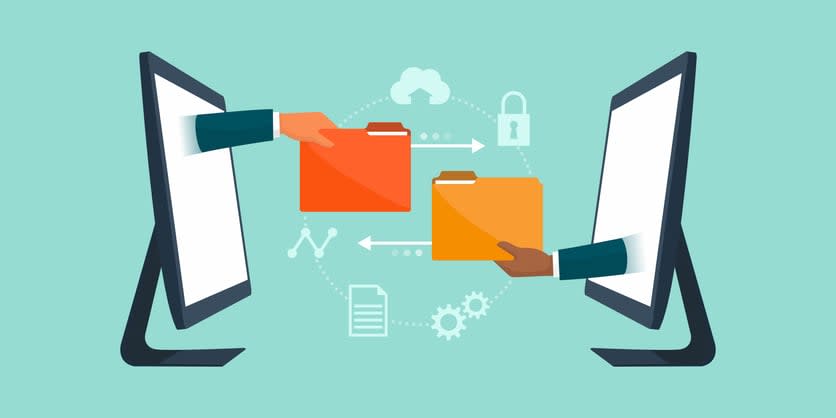
After sharing your documents, effective management of your shared folders and collaborative workspaces becomes imperative. Using collaboration tools and following practical tips can go a long way in boosting productivity when managing shared folders and workspaces. This involves:
- Setting up a well-organized folder structure
- Managing user access and permissions
- Ensuring that everyone has the necessary access to the documents they need.
Proper management of shared folders and workspaces can enhance collaboration, increase productivity, and ensure that your documents are secure. Whether you’re working on a team project, collaborating with clients, or sharing documents within your organization, effective management of your shared resources is key to a smooth and productive workflow.
Organizing collaborative workspaces

The organization of your collaborative workspaces holds equal importance. A well-organized workspace can enhance productivity, streamline your workflow, and make collaboration more enjoyable. Whether it's setting up a clear folder structure, developing consistent naming conventions, or creating dedicated spaces for different projects or teams, organization is key to a successful collaborative workspace.
But it's not just about the physical layout of your workspace. It's also about the tools and processes you use to manage your work. From project management tools like Trello or Asana to communication platforms like Kumospace, Slack, or Microsoft Teams, the right tools can make a big difference in how efficiently you can work together.
Managing user access and permissions
Finally, for secure and effective collaboration, managing user access and permissions is indispensable. Whether it’s deciding who can view or edit a document, managing access to shared folders, or setting up user roles in a collaborative workspace, managing access and permissions is key to ensuring that your shared documents remain secure and accessible only to the right people. Enabling two-factor authentication can further secure access to shared documents and folders, adding an extra layer of protection beyond basic protocols.
With the right tools and practices, you can manage user access and permissions effectively, ensuring that everyone has the right access level to the documents they need. Whether it’s granting editing permissions to a team member, restricting view access to sensitive documents, or revoking access when someone leaves the team, effective management of access and permissions is key to a secure and productive collaborative workspace. To grant access appropriately, it’s essential to assess each user’s role and responsibilities within the team.
Summary
Effective document sharing today is about balancing speed, collaboration, and security. Modern teams rely on cloud-based tools instead of email attachments, using platforms that enable real-time editing, controlled access, and seamless integrations.
Solutions like Kumospace and Google Docs make it easy to collaborate, manage permissions, and keep everyone working on the latest version of a file. For quick sharing, email and messaging apps work well, while cloud storage and file transfer services handle larger files and folders.
The key is combining the right tools with best practices, such as setting clear permissions, organizing shared workspaces, and protecting sensitive data with encryption and access controls. When done right, online document sharing improves productivity, reduces friction, and keeps collaboration both efficient and secure.
Frequently asked questions
To share a document, save it in an online location like OneDrive or SharePoint. Click the 'Share' button, enter the recipient's email address, select their viewing and editing permissions, and hit 'Send'. An email will be sent to them with a link to access your document.
The easiest way to share files is to use one of the popular online file-sharing services such as Google Drive, Microsoft OneDrive, Filestage, Dropbox, WeTransfer, or Box.
To create a link to share a document, select 'Share' and then 'Copy Link'. Paste the link into an email, document, IM, or wherever you want to share it. If necessary, adjust the permissions of the link by selecting 'Link settings'.
Kumospace is a communication service that enables secure document sharing. It provides efficient solutions, which allow users to collaborate on documents and other files.
Google Docs makes it easy to share documents; you can create or upload existing files, set who can view and edit them, and even collaborate in real-time.




